

Rithmic R|Trader Pro
Export Rithmic R|Trader Pro order history or performance as CSV. Import futures fills into Tradeways, select the export timezone, and review fees and duplicates.
Rithmic R|Trader Pro
Import futures fills from Rithmic R|Trader Pro via CSV. Two export layouts are supported and Tradeways detects which one you uploaded:
- Order History — one row per filled order, at its average fill price.
- Performance — one row per round trip, expanded into an entry and an exit execution.
Export from R|Trader Pro
- Open R|Trader and go to Recent Orders (or Order History for older trades), or to Performance.
- Select the account and date range you want to export.
- For Order History, right-click any column heading in the Completed Orders section and choose Add/Remove Columns. Make these columns visible:
Symbol,Status,Buy/Sell,Qty Filled,Avg Fill Price,Order Number,Last Fill Time, andCommission Fill Rate. - Export the table as CSV.
Upload to Tradeways
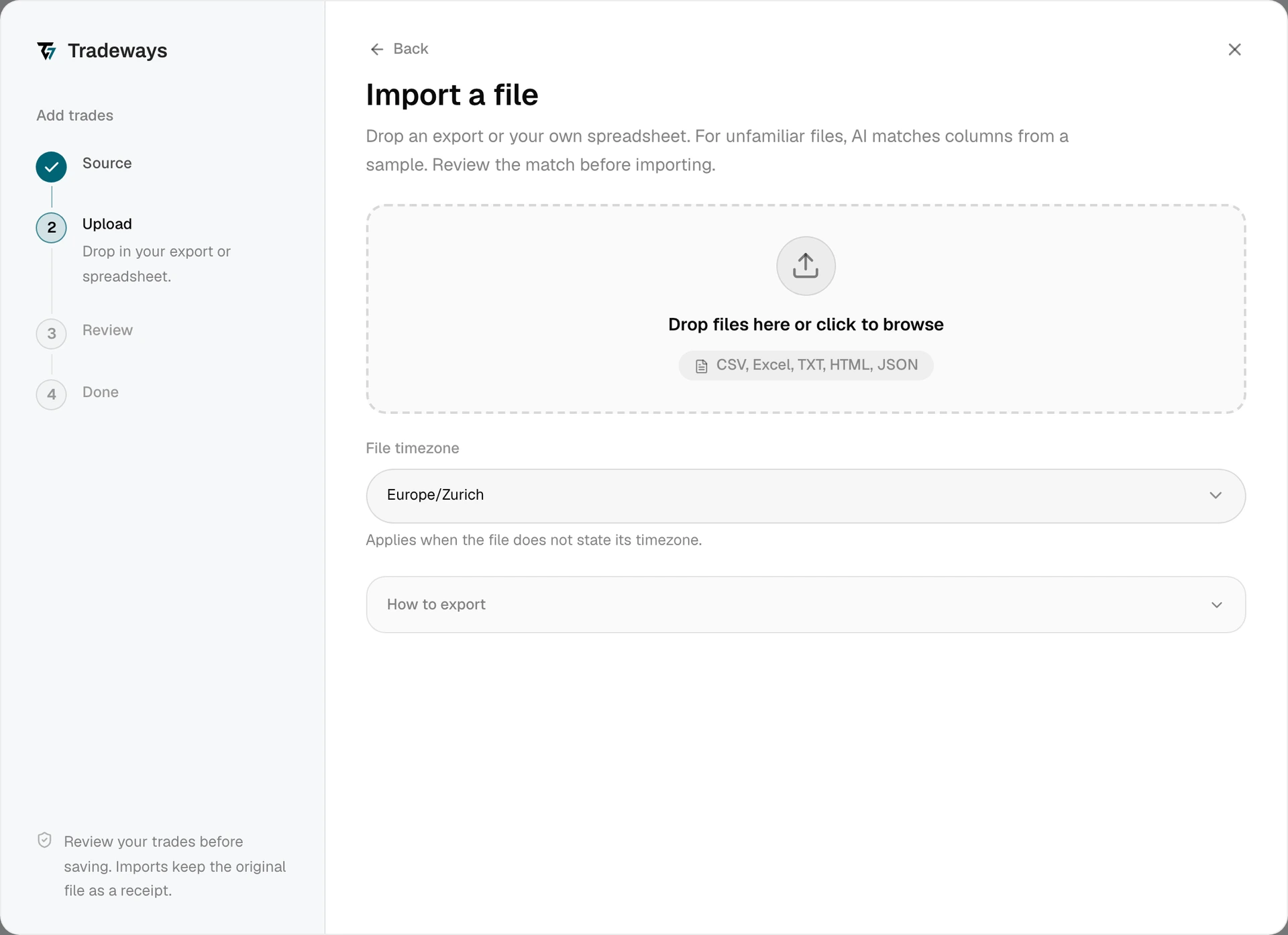
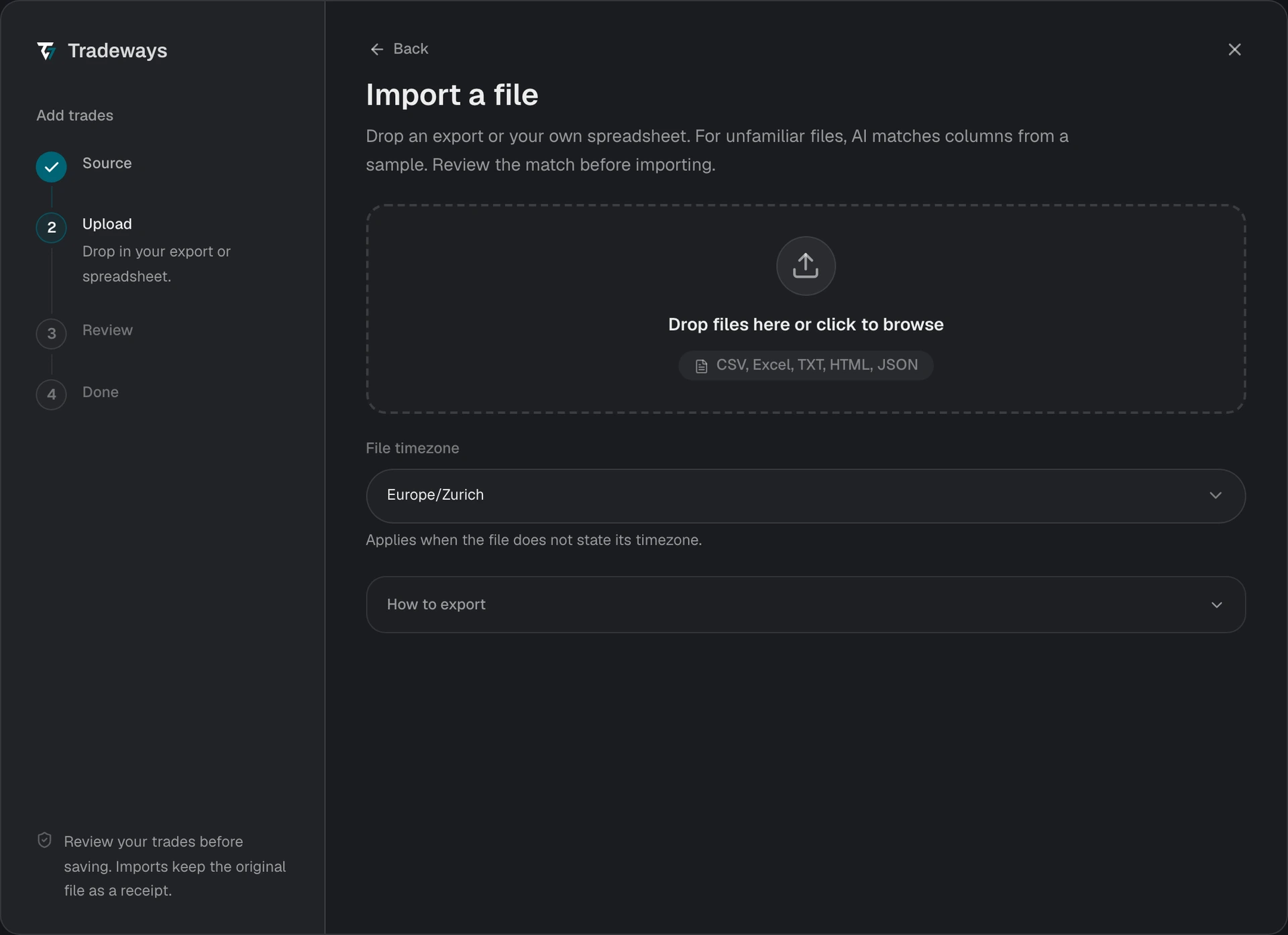
- In the Trade Log, select Add trades, then select File upload.
- Under File timezone, select the timezone that R|Trader used for the export. Rithmic timestamps carry no offset, so a wrong timezone moves fills to another session or trading day. The column heading names the timezone, for example
Last Fill Time (CDT). - Drop the CSV file in the upload area or select it from your device.
- Review the preview and check the execution count, contract symbols, commissions, and skipped rows.
- Confirm the import.
Tradeways recognizes this export from its layout and reads it with the rules on this page. A file without this layout is read as an unknown layout: Tradeways matches its columns, and these rules do not apply. See Import Trades.
File Requirements
- Use a
.csvexport. Rithmic PDF and print reports are not supported. - Order History needs
Symbol,Status,Buy/Sell,Qty Filled,Avg Fill Price,Order Number, and aLast Fill TimeorUpdate Timecolumn.Commission Fill Rateis optional and supplies the per-contract commission. - Performance needs the trade header row with
Entry Buy/Sell,Exit Buy/Sell,Entry Price,Exit Price,Fill Size,Entry Time,Exit Time, andEntry Order Number/Exit Order Number. Both the 15-column and the 28-column layouts are read.Commission & Feesis the round-trip total and is divided into a per-contract rate. - In Order History, a row whose
Statusdoes not containFilledis reported as skipped.Partially Filled, Balance Cancelledrows are imported for the filled quantity.
Duplicate Detection
Order History uses the Rithmic order number as the duplicate key. Performance uses the fill ID when the export has one, and the order number otherwise. Tradeways also matches the order number across the two layouts, so a trade already imported from one export is not created again from the other.
Fix a Rithmic import
| Preview or result | Cause | Fix |
|---|---|---|
Every row is skipped with Empty status | The Order History export has no Status column. | Make Status visible, export again, and upload the new file. |
| Some rows are skipped with a status reason | Those orders were cancelled or rejected, not filled. | No fix is needed. Only filled quantity is imported. |
| Trades appear on the wrong day or session | The selected timezone differs from the zone in the time column heading. | Before confirming, go back and select the correct timezone. After confirming, select the trades in the Trade Log and use Fix timezone. |
| A corrected re-upload shows every row as a duplicate | Duplicates are matched by order number, not by time. | Uploading the same file again does not move imported trades. Use Fix timezone instead. |
| Commissions are zero | The export has no commission column, and no rate is set for the symbol. | Set the per-contract rate in Instruments, or include Commission Fill Rate in the next export. |
Limitations
- Futures only. Every Rithmic execution is imported as a futures fill. Contract symbols are preserved exactly and resolved to their root instrument.
- Average fill price. Order History reports the average fill price per order, not each individual fill.
- Working orders are ignored. Tradeways reads the Completed Orders section. Orders that are still working do not reach the preview.