

Lifetime View
Your whole trading history as a P&L chart and a candle for each year, with the key ratios.
Lifetime View
The lifetime view is the wide shot: every trade you have logged, on one page, with a candle for each year. It answers "where do I stand?". Open it for a verdict, not a recent-form check: whether a strategy pays over the long run and which year paid for the rest.
Path and navigation
The path at the top is Lifetime. It has no previous or next arrows, because it is the top of the path. The notebook is not offered here: lifetime has no journal entry.
The lead
At the top, your lifetime candle sits beside your all-time P&L. A row of figures follows:
- Trades
- Win rate, counting winners against winners plus losers. Breakeven trades do not count.
- Best point and Worst point, the highest and lowest P&L your history reached, open positions included
- Given back from best, how far you finished below your best point
- Expectancy, the average P&L across every trade with a known P&L, breakevens included
- Profit factor, how winners stack against losers
- Max drawdown, the worst stretch you have survived
Only signed results are coloured green or red. Ratios and counts stay neutral.
Read the pairs together. A win rate without risk-to-reward misleads: a 70% win rate at 1:0.5 pays the same as a 35% win rate at 1:3. A good profit factor means little if you spent six months underwater to earn it.
If you have not logged any trades, the page prompts you to import or add some. See Import.
P&L chart while trades were on
The chart plots your P&L only while trades were on, year by year. Each year continues from where the previous one closed. Only the stretches with an open trade are drawn, and every pause with nothing open is cut out, shown as a dotted bridge at the level it held.
- The line follows the stored P&L path of each trade, open and closed P&L together, and jumps to the result at each exit.
- A faint band spans the high and low of each price bar. Long histories use coarser bars, and the bands keep each bar's extremes.
- The area is green while the year is up from where it began and red while it is down.
- Hover shows the time and the P&L at that moment.
Trades without a stored price path step in at their exit.
Year candles
Each year is a block, in a row that wraps. A year block shows:
- The year's candle. It opens at zero, its body runs to the year's result, and its wicks reach the best and worst point of the year, open positions included.
- The result, Best, and Worst
- The trade count and win rate
- A green or red tint, stronger for a larger result relative to the largest year
Year candles share one vertical scale. If one year does most of the work, that is worth knowing: either you have levelled up since and a flat recent year is variance, or you have been giving it back slowly. Select a year to open the yearly view.
Breakdowns as widgets
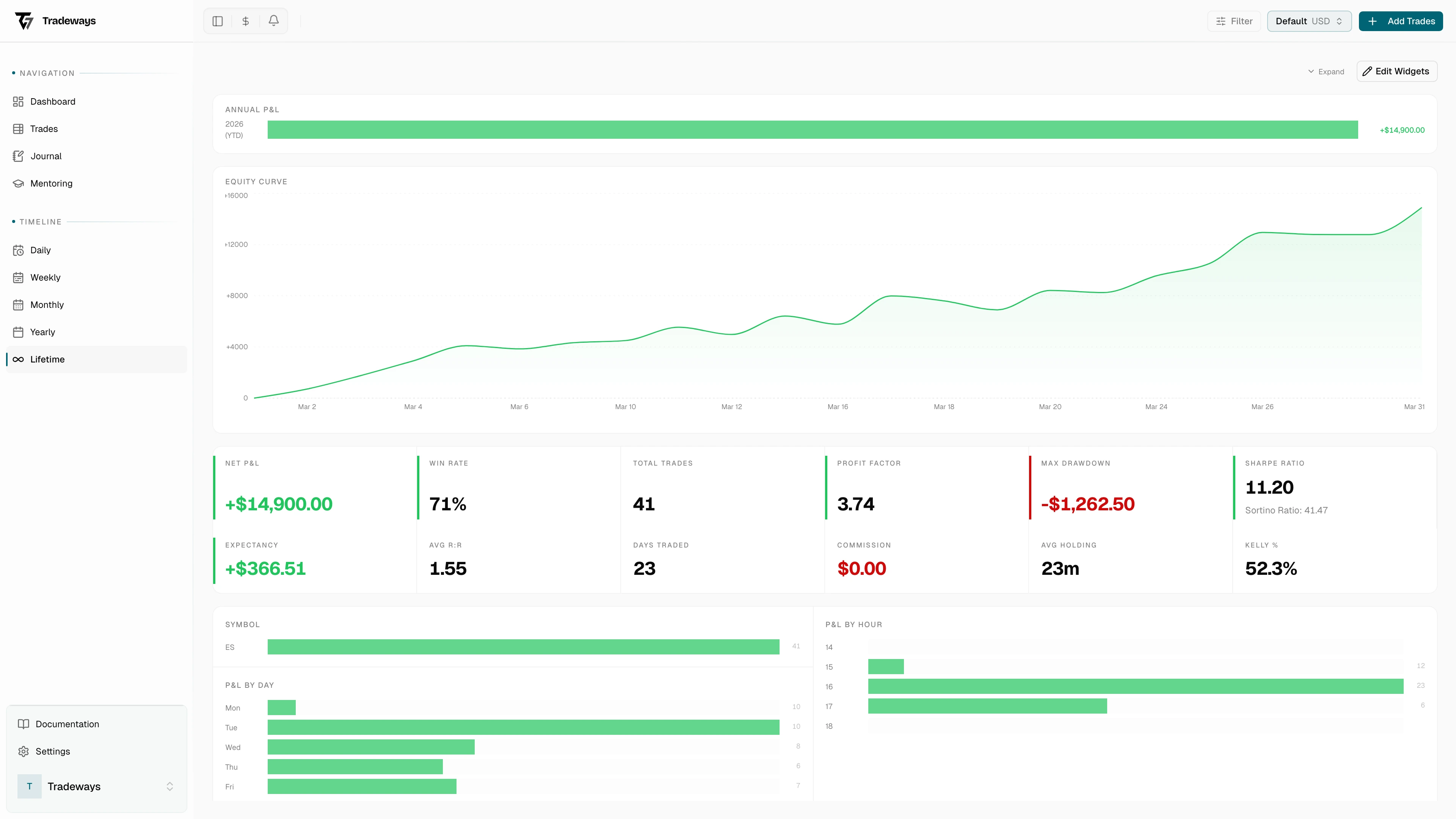
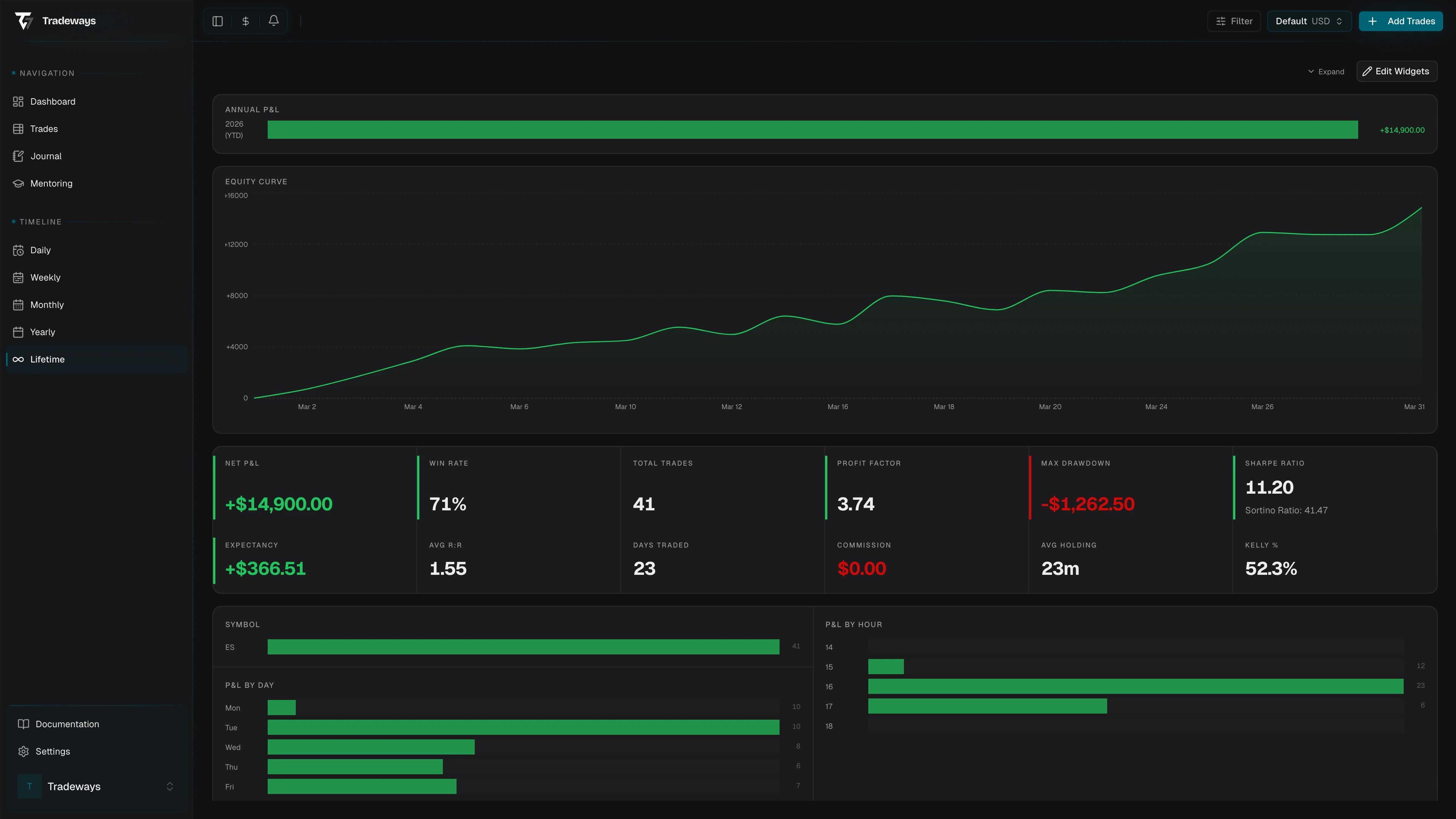
The lifetime page no longer has built-in breakdown sections. Add them as page widgets: equity curve, P&L curve, distribution by symbol, direction, or asset class, day of week, time of day, Sharpe ratio, Sortino ratio, risk-to-reward, Kelly criterion, commission, and average holding time. The widget catalog lists every widget.
Most traders find at least one bar that has no business being there: a symbol that loses on net, a day to stop trading, a direction to stop taking.
Filters
The page respects the account scope, every global filter except the date, the P&L display mode, the breakeven threshold, and your timezone. Lifetime always covers your full history.
See also
- Yearly view for one year
- Import to backfill historical trades
- Page widgets
- Filter to limit which trades the page includes