

Weekly View
One trading week as a P&L chart and a candle for each day, with the weekly journal.
Weekly View
The weekly view zooms out to one ISO week so you can see which day drove the result, and capture a weekly review while it is fresh. Without a chosen week, the page opens on the latest week that has trades. Today jumps to the present week.
Path and navigation
The path at the top reads Lifetime / 2026 / March 2026 / ‹ Week 11 ›. Each earlier step is a link that zooms out to that page. The current week opens a week picker. The arrows step to the previous and next week, and Today appears when you are not on the present week. The notebook icon on the right opens the weekly journal.
The lead
Under the path, the week's own candle sits beside the week's P&L. A row of figures follows:
- Trades
- Win rate, counting winners against winners plus losers. Breakeven trades do not count.
- Best point and Worst point, the highest and lowest P&L the week reached, open positions included
- Given back from best, how far the week finished below its best point
- Goal status for each recurring goal whose window is a week
A week without trades shows No trades in week {N}, {Year}. This is common in slow weeks and on holidays, or when a filter excludes everything.
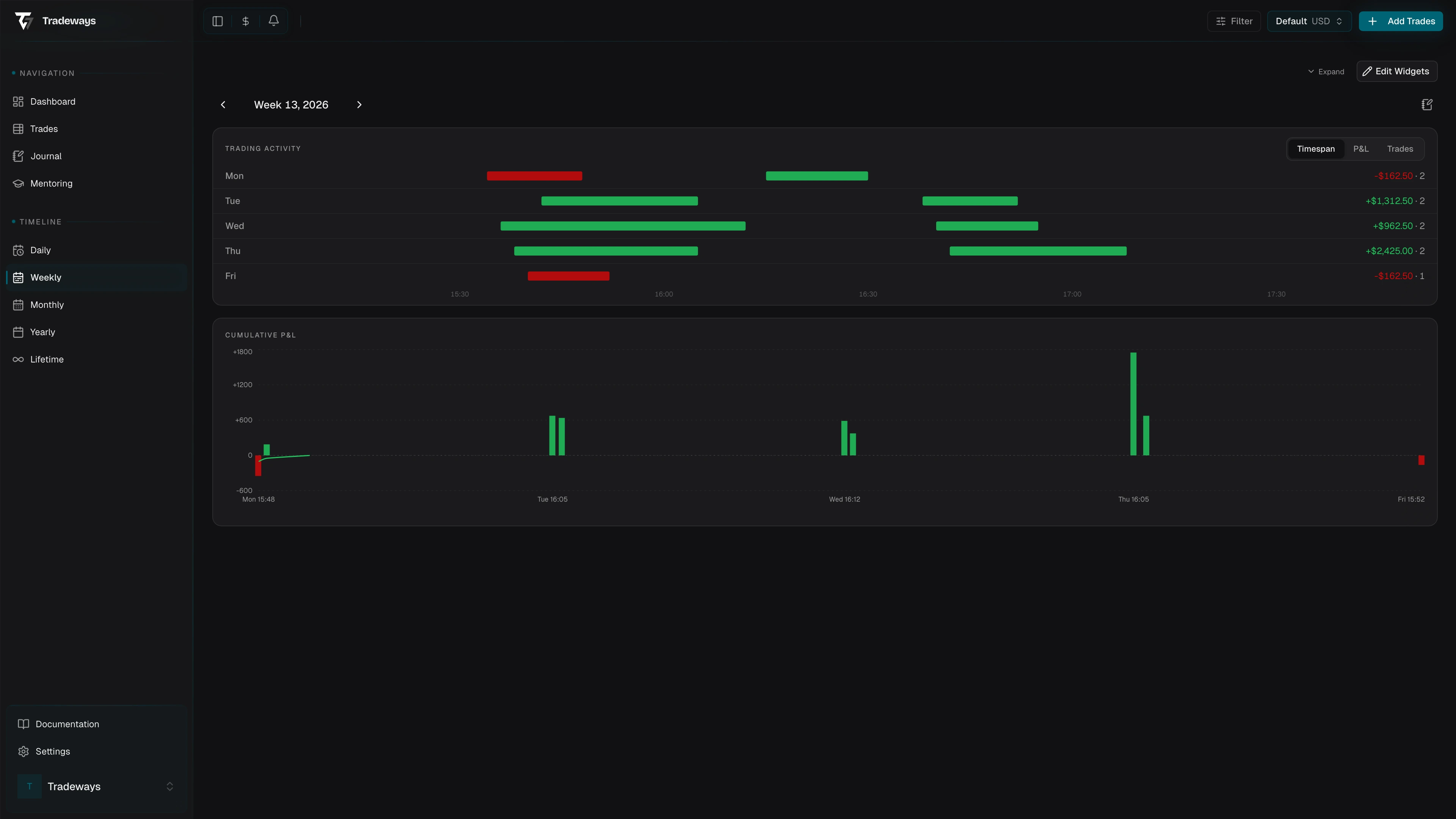
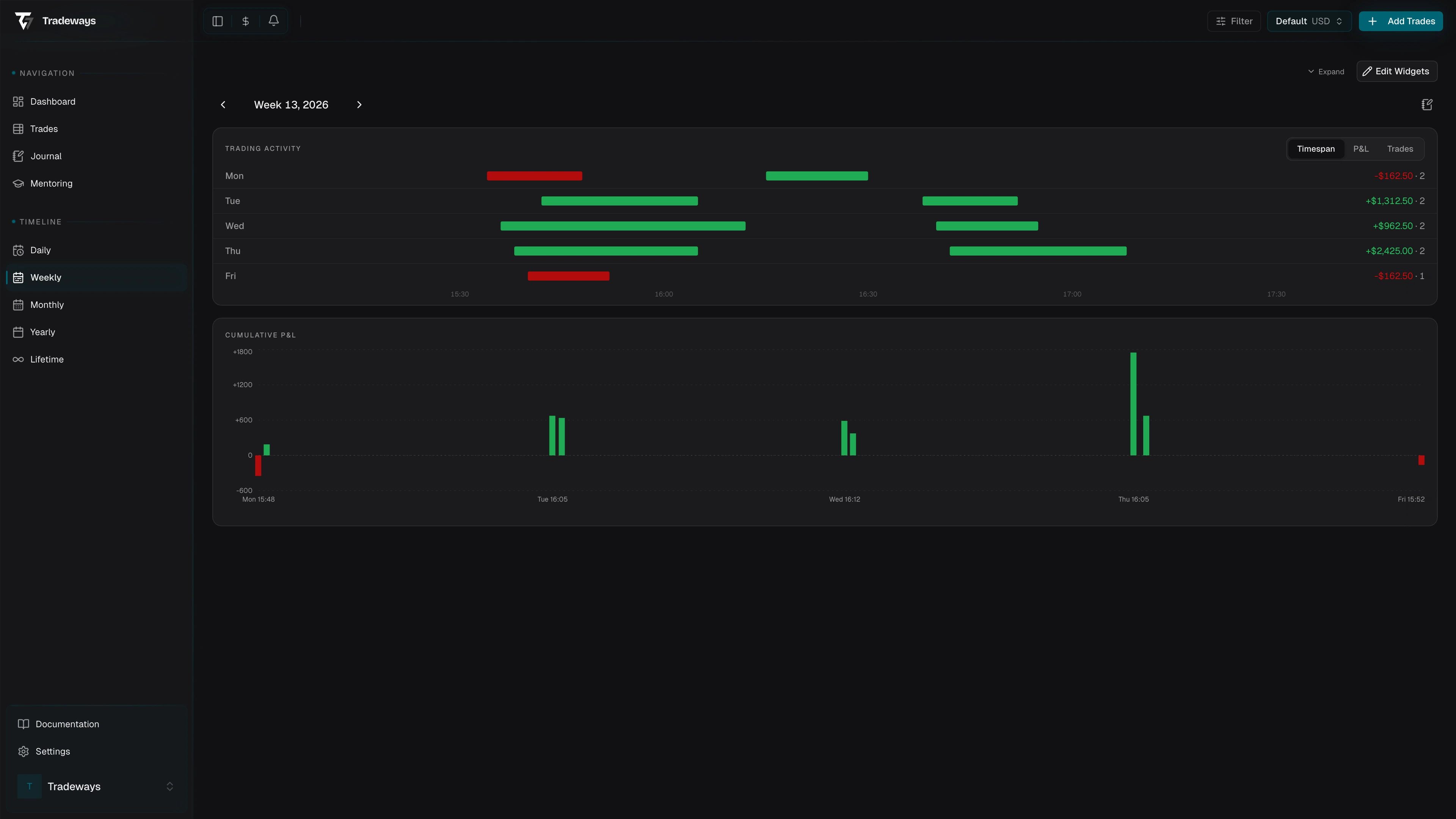
P&L chart while trades were on
The chart plots your P&L only while trades were on, day by day. Each day continues from where the previous day closed. Only the stretches with an open trade are drawn, and every pause with nothing open is cut out. A dotted bridge marks a cut-out stretch at the level it held.
- The line follows the stored P&L path of each trade, open and closed P&L together, and jumps to the result at each exit.
- A faint band spans the high and low of each price bar.
- The area is green while the day is up from where the day began and red while it is down.
- Hover shows the time and the P&L at that moment.
Trades without a stored price path step in at their exit.
Day candles
Below the chart, each day is a block in one row, Monday to Friday. Saturday and Sunday appear only when a trade closed on one in the displayed week.
Each block shows:
- The day's candle. It opens at zero, its body runs to the day's result, and its wicks reach the best and worst point of the day, open positions included. A tall upper wick on a red day means the day was green and was given back.
- The result, Best, and Worst
- The trade count and win rate
- A green or red tint, stronger for a larger result relative to the largest day of the week
- A journal mark when the day has an entry
All candles share one vertical scale. A day without trades keeps its block, dimmed, with a dash. Select a block to open that day.
Weekly journal
The notebook icon opens the weekly journal in a side panel. The icon is tinted when an entry exists for the week. Use it for the review: what worked, what did not, which rule was broken, and what to watch next week. The entry is keyed to the ISO week, so it stays with that week regardless of when you write it. Days that have a journal entry carry a mark. The mark opens that day's entry in the same panel.
Widgets and filters
Page widgets stay at the top of the page. Configure them in Page widgets.
The page respects the account scope, every global filter except the date, the P&L display mode, the breakeven threshold, and your timezone. The week you pick sets the date.
See also
- Daily view to drill into a day
- Month view to zoom out
- Page widgets
- Filter