Sign In
Sign in to Tradeways with Google, email and password, or a passkey. Find password recovery steps and learn what to expect when two-factor authentication is enabled.
Sign In
Go to tradeways.app/auth/sign-in.
Click Continue with Google and complete the Google sign-in flow. Tradeways then returns you to the dashboard.
Email and Password
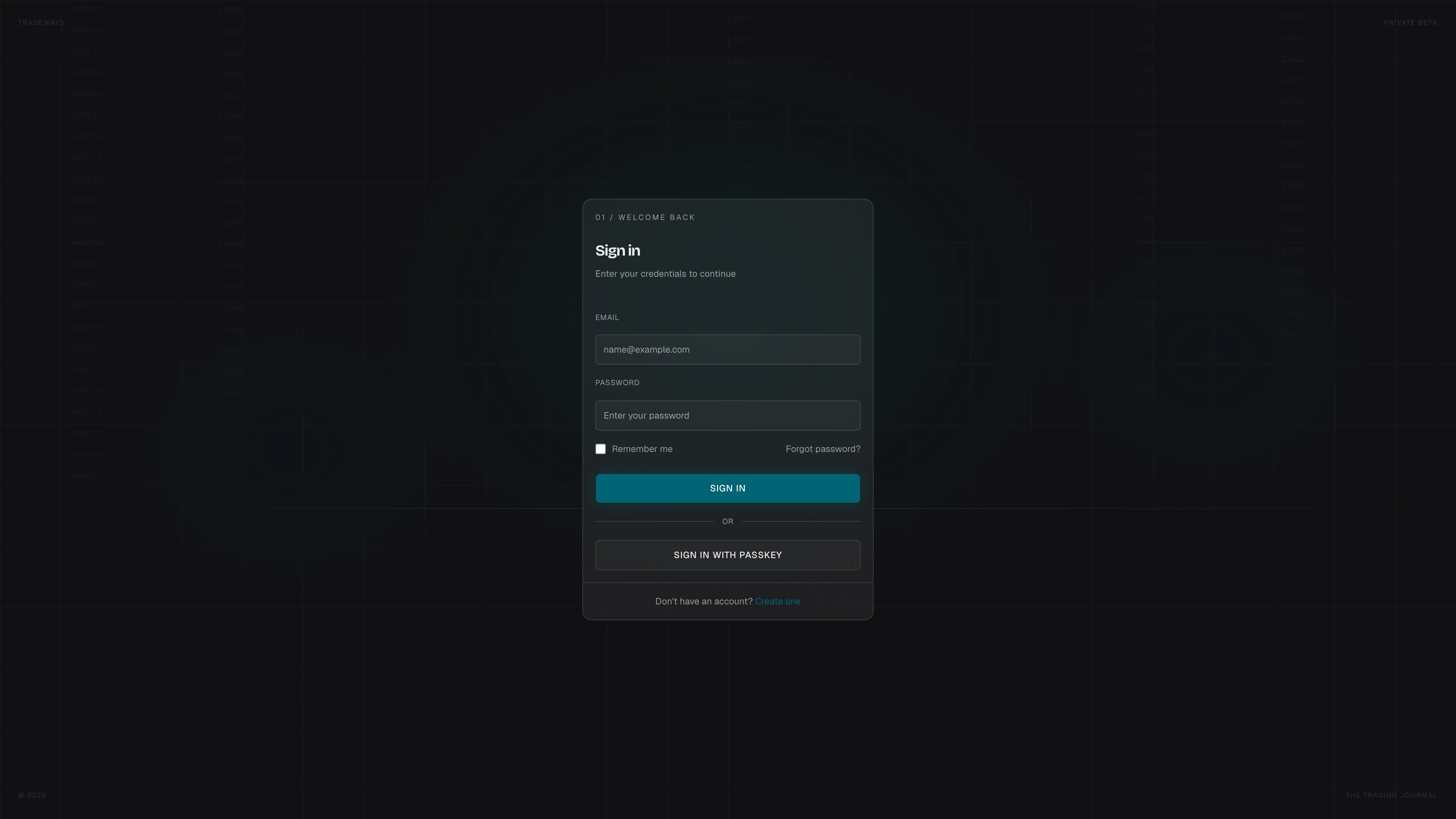
- Enter your Email and Password.
- Optionally check Remember me to stay signed in for longer.
- Click Sign In.
You are redirected to the dashboard after a successful sign-in.
Passkey Sign-In
If you have a passkey registered (see Security Settings), click Sign in with passkey above the email form. Your browser will prompt you to authenticate using biometrics or a hardware key.
Forgot Password
Click Forgot password? below the password field. See Password Reset for the full flow.
Two-Factor Authentication
If 2FA is enabled on your account, you are redirected to the two-factor verification page after entering your email and password.
No Account Yet?
Click Create one at the bottom of the form to go to the registration page.