

手動匯入
Tradezella
從 Tradezella 匯出 Trade,並將其匯入 Tradeways。
Tradezella
從 Tradezella 的 CSV 摘要匯入已平倉 Trade。Tradeways 會將每列轉為兩筆彙總成交,一筆進場、一筆出場。這些不是 Tradezella 的個別成交。
從 Tradezella 匯出
- 開啟 Tradezella 的 Trade Log。
- 選擇你要匯出的所有 Trade。
- 開啟 Bulk Actions,然後選擇 Export trades to CSV。
- 包含下方列出的平均價格、點數、P&L 和成本欄位。每次只匯出一個帳戶。
上傳到 Tradeways
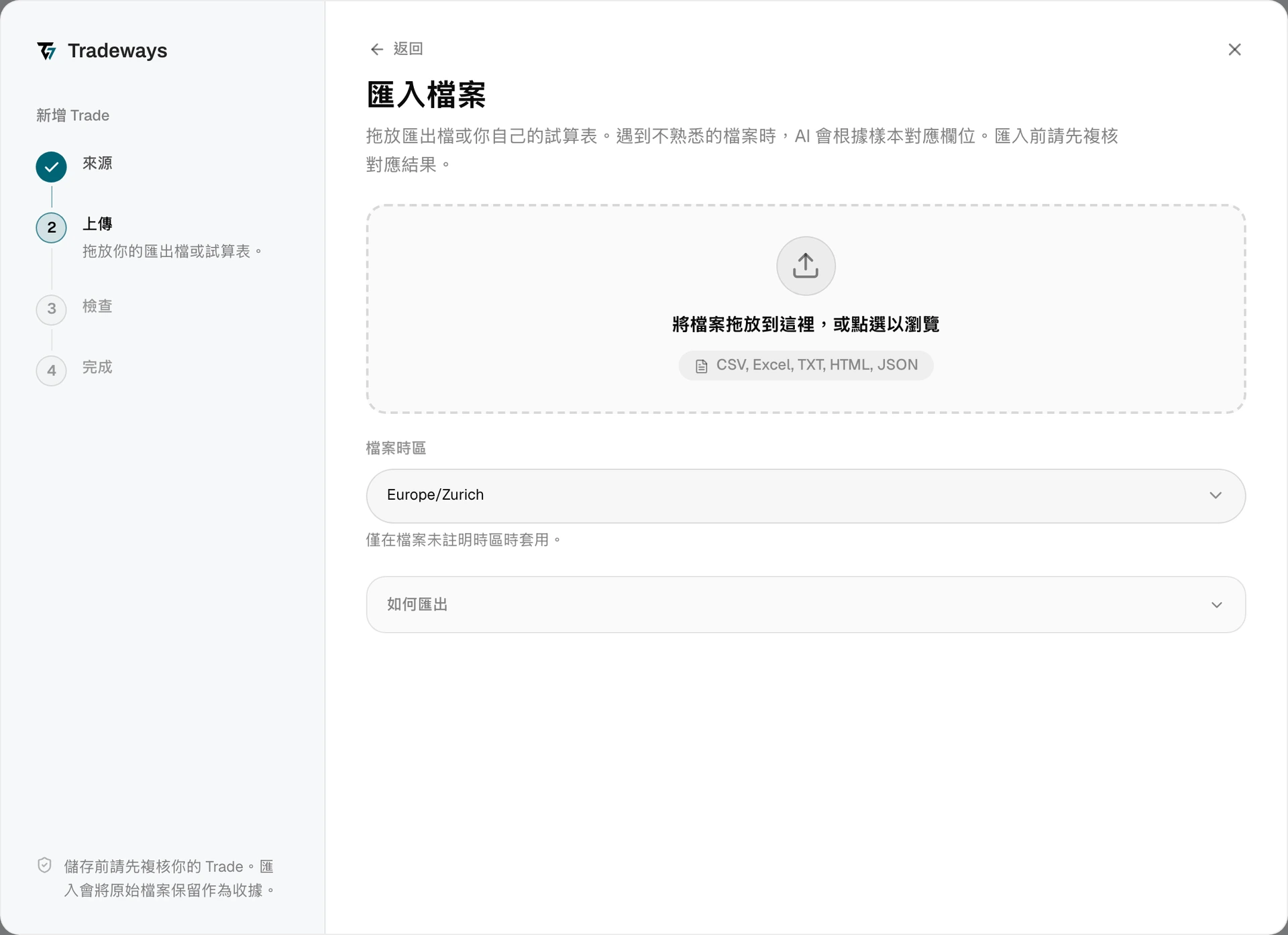
- 在 Trade 紀錄中,點選新增 Trade,然後點選檔案上傳。
- 將 CSV 檔案拖放到上傳區域,或從裝置中選擇檔案。
- 選擇檔案中 P&L 和成本所使用的匯出貨幣。Tradeways 辨識匯出檔後才會詢問此項,並在你選擇後讀取 Trade。
- 檢查預覽,包括略過的列、回報的淨 P&L、成本,以及任何估算成交提示。
- 預覽與匯出檔案一致時,確認匯入。
檔案時區的選擇不適用於此匯出檔。Tradezella 會在每個時間值中寫入時區縮寫,例如 09:31:00 EEST。如果 Tradeways 無法辨識縮寫,匯入就會停止。請檢查匯出檔案中的時間戳記,然後重新匯出。
Tradeways 會依「檔案要求」中列出的欄位辨識此匯出檔,並以本頁的規則讀取。缺少其中任一欄位的匯出檔會被視為未知格式讀取:Tradeways 會對應其欄位,而本頁的規則不適用。請參閱匯入 Trade。
檔案要求
- 使用透過 Bulk Actions 產生的
.csv匯出檔案。 - 檔案需要包含
Symbol、Side、Quantity、Executions、Avg Buy Price、Avg Sell Price、Points、Gross P&L、Net P&L、Commission、Fee、Swap、Open Date、Open Time、Close Date和Close Time。只有在所有欄位都存在時,Tradeways 才會辨識為 Tradezella 匯出檔。 Side必須是Long或Short。標記為未平倉或只有一筆成交的資料列會被略過。- 當資料列剛好回報 2 筆成交時,
Points可以為空:平均進場價與出場價即可確定價格變動。分批進場且成交筆數更多的 Trade,需要回報的點數才能重建其已平倉數量;缺少該資訊時,請匯出其個別成交。 - 摘要數值不完整或不一致時,匯入會停止。請在 Tradezella 中檢查指定的資料列,然後重新匯出。如果檔案包含多個帳戶名稱,匯入也會停止。
限制
- **彙總成交。**Tradeways 會使用匯出的平均價格和回報點數重建已平倉數量。如果這些數值不足以確定數量,就會估算出場價,以保留回報點數,並在成交備註中標示估算值。
- **重複資料比對。**匯出檔案沒有個別成交 ID,因此 Tradeways 會根據帳戶名稱和 Trade 摘要產生固定的識別碼。匯入範圍重疊的匯出檔案時,請檢查預覽。
- **僅保留根代碼。**期貨 Trade 會匯入到根標的下,不包含指定到期月份的合約。
- **成本與 P&L。**Tradeways 會保留回報的淨 P&L 供核對,並以所選的匯出貨幣匯入佣金、費用和隔夜利息。貨幣換算後的 P&L 可能與 Tradezella 的數值不同。請確認你所選的貨幣,因為 CSV 並未標示貨幣。